How DNS Resolution Works
INTRODUCTION
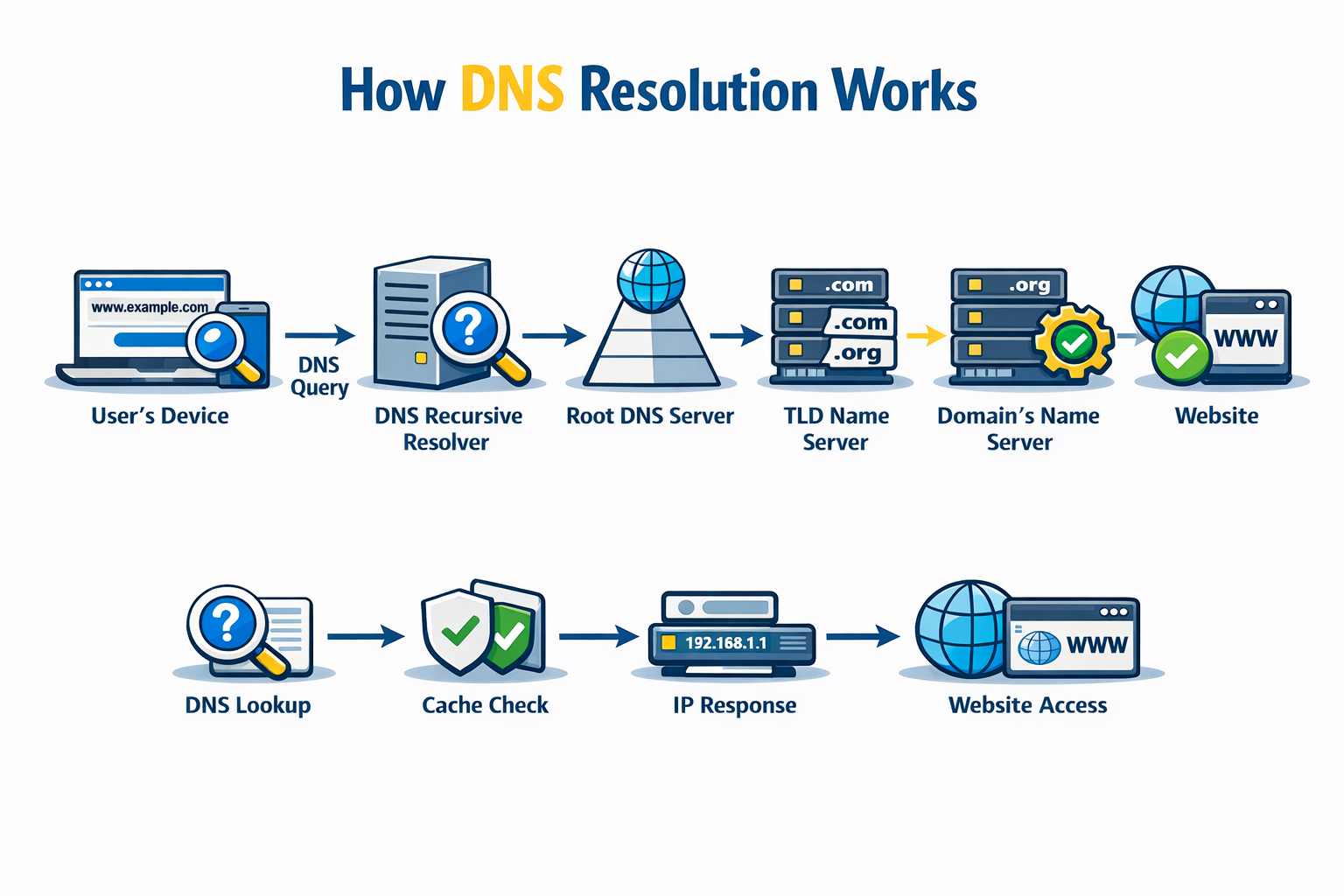
You searched Google.com many time but have u ever thought about how your device knows which server stores the data of Google.com? There are multiple servers; how does the device know which one he need to talk to?
Each server have there own IP address. If someone wants to talk to that server he need that IP address. Imagine trying to call someone without knowing their phone number — impossible. You know the name, but the network understands only numbers.
📒 DNS = The Internet’s Phonebook
DNS stands for Domain Name System. DNS maps a domain name to the IP address of servers. It is similar to a phonebook, which is why DNS is also called the Internet’s Phonebook.
The process of converting a human-readable name into a machine-readable address is known as name resolution.
google.com → 142.250.190.14
❓Why does name resolution exist?
To answer this, imagine there is no DNS. Then, how would you access a website?
Typing in the browser http://142.250.190.14/.
Suppose you remember the IP of Google, what about Gmail, Youtube or Hashnode?
There are billions of websites. Are u able to remember all? Forget about all. Are you able to remember 10? No, right.
But are u able to remember 10 names?
Of course u are able because the human brain is good with remembering names instead of number that is why we want someone who checks into the phone book, we say the name, and the person checks in the phone book and provides the IP of the server.
What is the dig command, and when is it used?
dig stands for Domain Information Groper. Wait, Groper?. Great catch 😄 — the word “groper” sounds weird until you know the history.
In dig,
Groper means:
to search, explore, or probe deeply to find hidden information
It is a DNS debugging and inspection tool used to query DNS servers directly and see how name resolution actually works.
dig [@server] [domain] [query-type] [options]
@server: This is optional. Use it to specify the DNS server you want to query. If omitted, DIG uses the default server.
domain: This is the domain name you are querying about.
query-type: This specifies the type of DNS record you want to query (e.g., A, MX, NS). If not specified, DIG defaults to querying A records.
options: DIG offers various options to format or filter query results. Here are some common options used with dig:
+short: Gives a shorter, more concise output.
+trace: Traces the path of the query across the DNS namespace.
+noall +answer: Shows only the answer section of the query.
dig is used when you need to manually query DNS servers to inspect, debug, analyse, or understand DNS resolution and DNS records.
In short**, when you want to ask something from DNS, use the dig command.**
Understanding dig . NS and root name servers
To understand the dig . NS, you need to understand the DNS hierarchy first.
When you search a domain, DNS need to start searching from somewhere, and that somewhere is the.
.means the root of the internet’s DNS system.
So when DNS resolve the domain, it must start from. root zone. Even when we search Google.com, it is actually Google.com. The last dot represents the root zone, from where resolution starts.
google.com.

.        ← Root (top)
|
.com
|
google
|
www
. is a logical concept, but its actual implementation is the root name servers.
A root name server is a name server for the root zone of the Domain Name System (DNS) of the Internet. It directly answers requests for records in the root zone and answers other requests by returning a list of the authoritative name servers for the appropriate top-level domain (TLD).
Now, NS is the name server that answers one question.
“Who should I ask about this domain?”
There are 13 logical root servers, and their implemented copies are 1600+ around the world.
okay we know what NS do but what is NS?
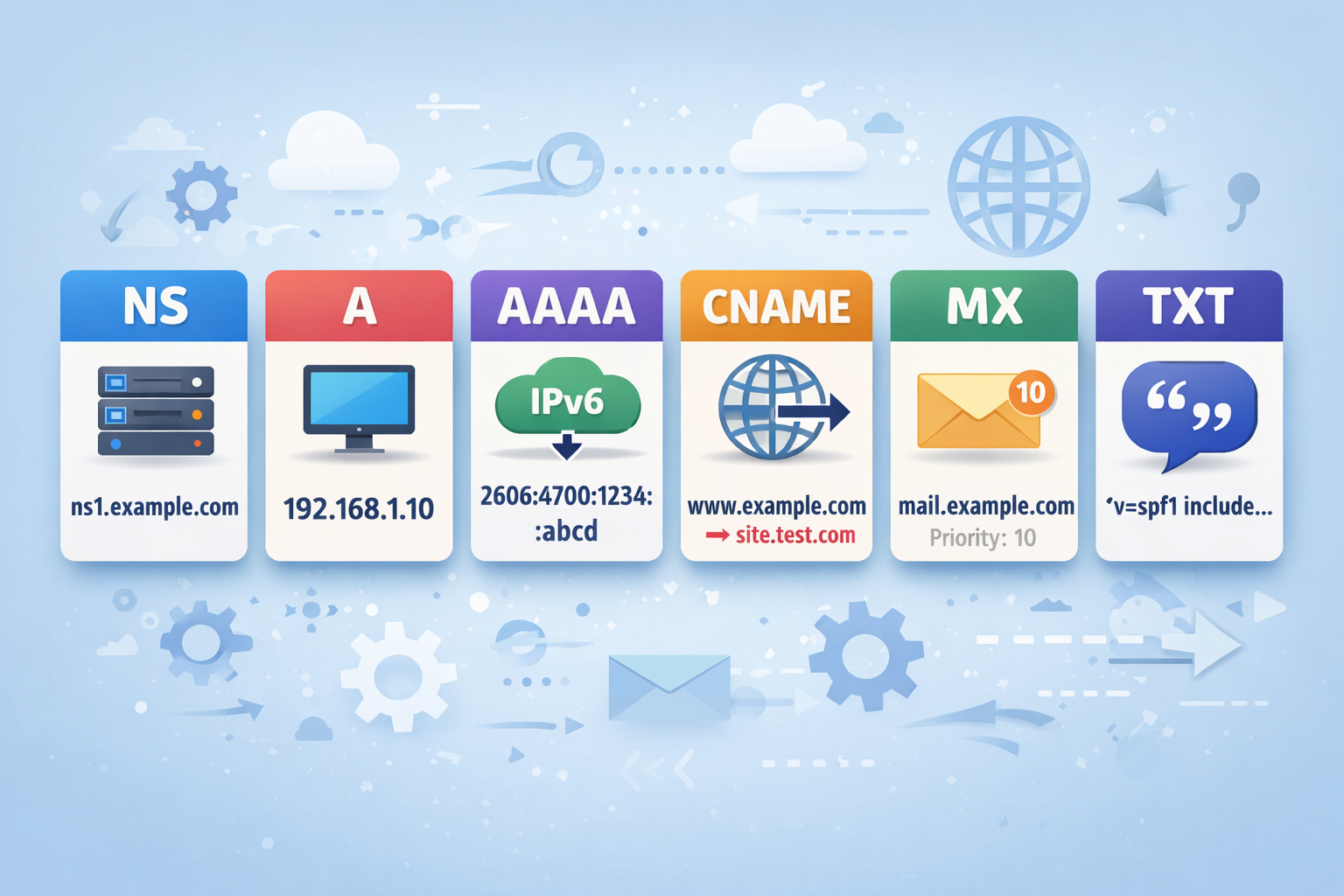
An NS record tells which DNS servers are responsible for a domain.
Wait, what is a DNS record?
A DNS record is a stored rule that tells DNS what to do with a domain name.
dig . NS
dig . NS +short +short
+shorttellsdigto show only the final answer, and hide all protocol/debug information.
dig . NS +short
Understanding dig com NS and TLD name servers.
When we get the root server and start the DNS resolution process, we now need TLD servers.
Wait, what is TLD?
A TLD is the last part of a domain name, and it represents the top category in the DNS hierarchy.
Each domain has a category; to represent that category, we need a TLD server. There are multiple categories based on which TLDs have different types:-
| Type | Meaning | Examples |
| gTLD | Generic | .com, .org, .net |
| ccTLD | Country-based | .in, .us, .uk |
| sTLD | Sponsored | .edu, .gov, .mil |
| nTLD | New domains | .ai, .tech, .app |
TLD stands for Top Level Domain.
By doing a dig . NS, we get to know from where the DNS resolution start and there are 13 root servers on which the DNS resolution starts. From the global root zone to the TLD server, we need to do a dig com NS. This command tells about the TLD server that handles the .com category.
dig @8.8.8.8 com NS +short
We need a public DNS because sometimes the local DNS is unable to resolve the domain.
Understanding dig google.com NS and authoritative name servers
The TLD server gives the IP address of the authoritative servers and say “Ask him, he knows where the google.com IP is."
Now we are at the third layer of the DNS hierarchy learning — after:
dig . NS→ Root layerdig com NS→ TLD layer
Now we reach the domain ownership layer:
👉 Authoritative Name Servers
dig @8.8.8.8 google.com NS +short
These are the authoritative servers that actually store the DNS record of google.com.
Understanding dig google.com and the full DNS resolution flow
This is the final step where we get the actual IP address of Google.com. In this last step, we convert the domain into an IP.
You are asking DNS:
“Give me the IP address of
google.com”
dig google.com +short
Conclusion
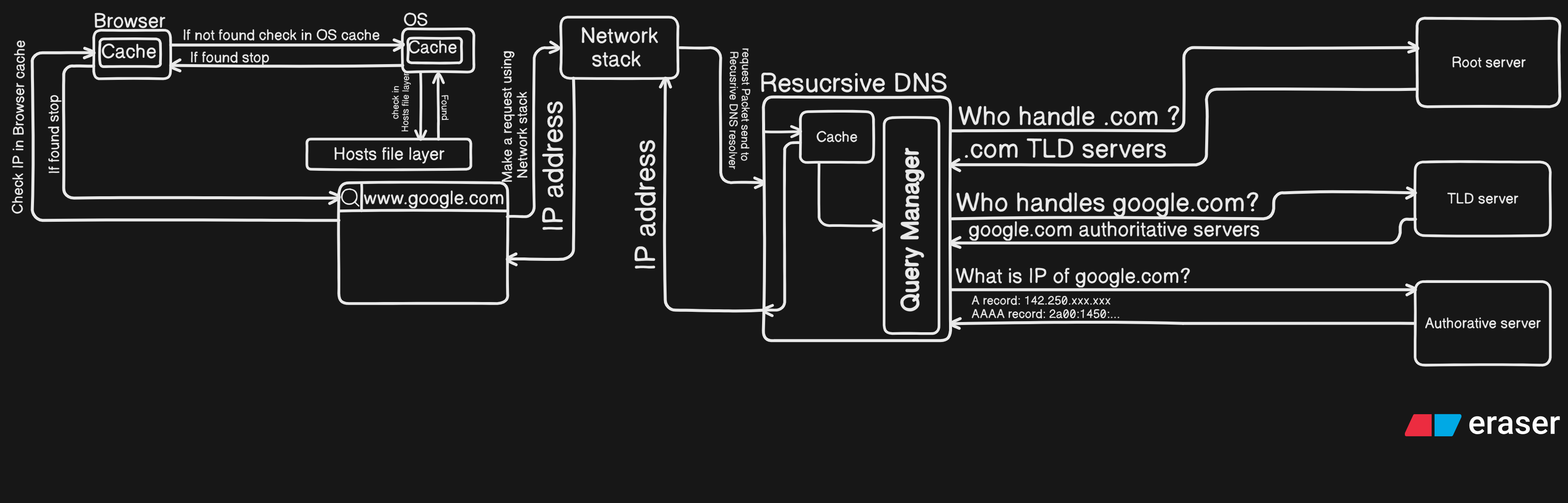
To provide a better understanding of the flow of the DNS resolution process, we have some steps to follow to get the IP address.
Comments
Join the discussionNo comments yet. Be the first to comment.